Build your Calculator with AI
Build a calculator with AI from one plain-language prompt. Test the formula, refine the fields, and share a working calculator—no code required.
One prompt to a working calculator
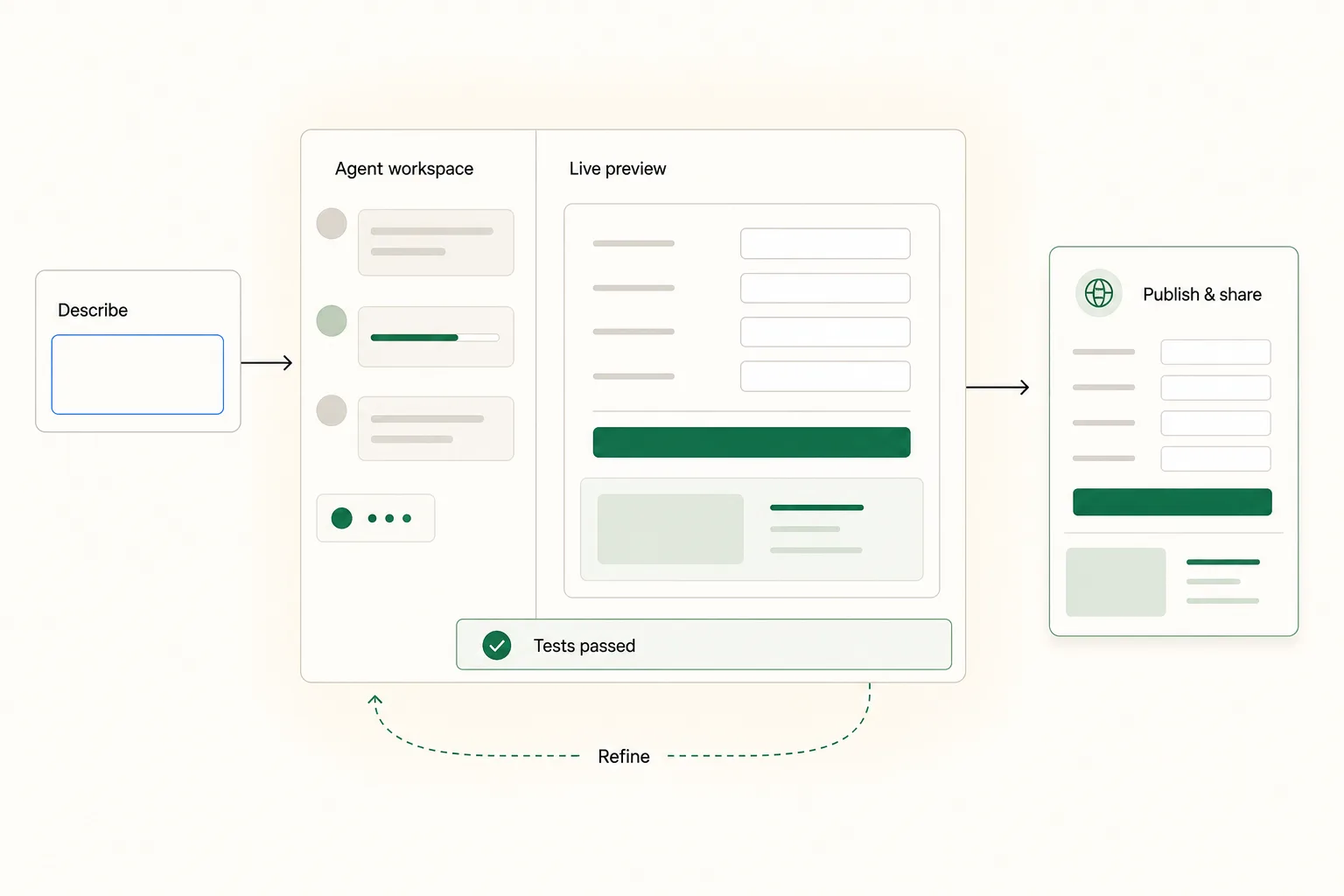
Build a calculator with AI in one clear loop
When you build a calculator with AI, Need a Calc turns your description into editable fields and a formula, gives you a working preview, and publishes the version you approve.
01 · Describe
Explain what should be calculated
Write the inputs, units, conditions, and result you need in everyday language. Add a formula if you already have one.
02 · Preview and refine
Try the working calculator
AI creates the fields and calculation logic. Enter real values, read the formula, and ask for changes in the same conversation.
03 · Approve and share
Publish one reusable link
Approve the version that works, then send its public link to anyone who needs the same calculation. Visitors do not need an account.
What you get when you build a calculator with AI
A useful calculator with AI should be more than a generated screen. Need a Calc keeps the fields, logic, tests, revisions, and published result connected.
Start from plain language
Describe the job instead of learning a form builder. Need a Calc asks follow-up questions only when a missing detail could change the result.
Calculate while you build
The preview works as soon as a version is ready. Try your own numbers and see each requested change update the calculator beside the conversation.
Get the same result from the same inputs
The approved formula runs consistently in the builder and on the public page. It cannot quietly call an external service or introduce a random value.
Check more than one happy path
Review generated examples for normal values, boundaries, conditions, and invalid input. These checks help expose missing rules before you share the calculator.
Keep a version that already works
Each accepted revision creates a new version. If the latest request changes the logic in the wrong way, return to the previous version.
Share the calculator, not the instructions
Publish one stable link after you approve the result. Other people can enter their own values and calculate without signing in.
Start with the calculation you already understand
How to build a calculator with AI
To build a calculator with AI, describe the rule, verify it with real examples, and publish only the version you are ready to share.
01
Describe the inputs and result
Name the values people will enter, their units, any conditions, and the result they should receive. A rough first sentence is enough to begin.
02
Test and refine the logic
Enter values you know, compare the result with your expectation, inspect the readable formula, and ask for any missing field or rule.
03
Approve, publish, and share
Save the version you checked and share its public link. If the rule changes later, revise it without losing the approved version.
Questions about building a calculator with AI
What the MVP can build, what you should verify, and what happens after you publish.
Build a calculator with AI from the rule you already use
Describe the inputs and expected result. Need a Calc will turn them into a working preview you can test before you share it.